synology-photos-
video-enhancer
Every upload is silently re-encoded to 15 fps H.264 Baseline — files that stutter on Chromecast and look degraded on any screen. This container re-transcodes them automatically: H.264 High Profile or H.265/HEVC, hardware-accelerated, running on a schedule.
MIT-licensed · No SaaS · No telemetry · Your videos stay on your NAS
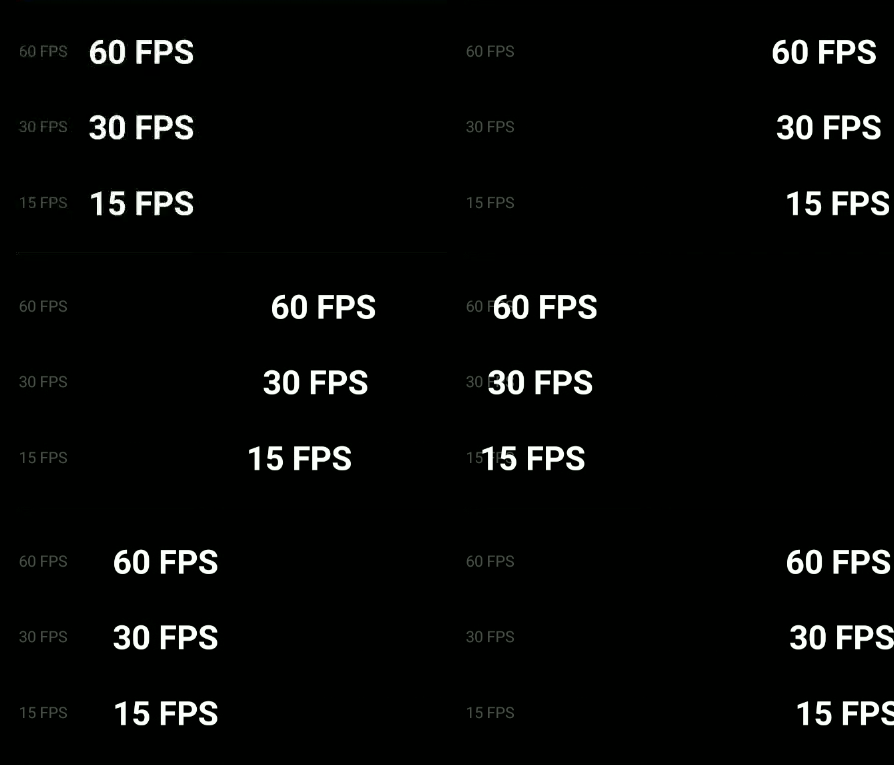
When you upload a video to Synology Photos, it generates an intermediate file for adaptive streaming. The result: H.264 Baseline Profile at 15 fps. Files that stutter on Chromecast, look noticeably degraded compared to the originals, and take more space than a properly-encoded H.265 would.
This tool re-transcodes those intermediate files automatically — H.264 High Profile or H.265/HEVC, hardware-accelerated when available, running on a schedule so every new upload gets fixed without any manual intervention. The original video is never touched.
Deploy once and forget it. The container handles everything else automatically.
Copy docker-compose.yml, create .env with your dashboard password, run docker compose up -d. The container starts scanning immediately after the startup delay.
Every N minutes (configurable, default 4 h) the scanner walks every subdirectory under /media, reads Synology's SYNOINDEX_MEDIA_INFO metadata, and builds a list of videos that need transcoding.
Videos are transcoded using the best available backend — QSV on Intel, VAAPI on AMD/Intel GPU, V4L2M2M on ARM. No GPU? It falls back to software. Each result is recorded in SQLite so it is never re-processed.
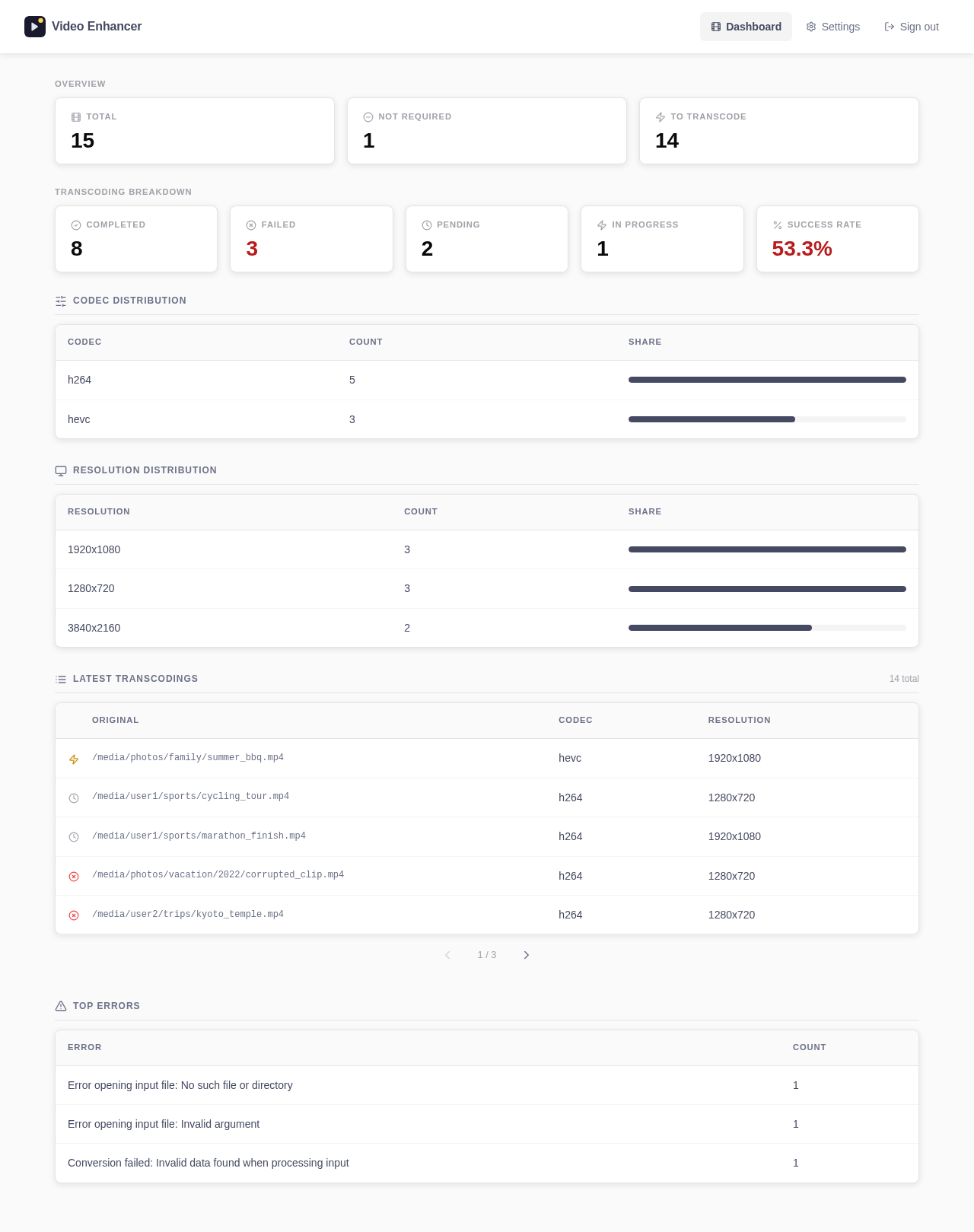
An authenticated web dashboard runs alongside the scheduler in the same container. It shows totals, success rate, codec and resolution distribution, the latest transcodings, and the top errors.
No subscription. No cloud. No configuration beyond a single .env file. It runs on your NAS and stays there.
QSV (Intel iGPU), VAAPI (AMD/Intel GPU), V4L2M2M (ARM). Auto-detected at startup. Falls back to software when unavailable.
Docker images built for amd64 and arm64. Runs on Synology DS220+ class NAS, Intel NUC, Raspberry Pi, or any Linux host.
Every transcoding is recorded in SQLite. Already-processed videos are skipped permanently — no re-work on each cycle.
Runs at a configurable interval (default 4 h). Set startup delay and interval from the dashboard — no container restart needed.
Authenticated web UI showing totals, success rate, codec and resolution distribution, latest transcodings, and top errors.
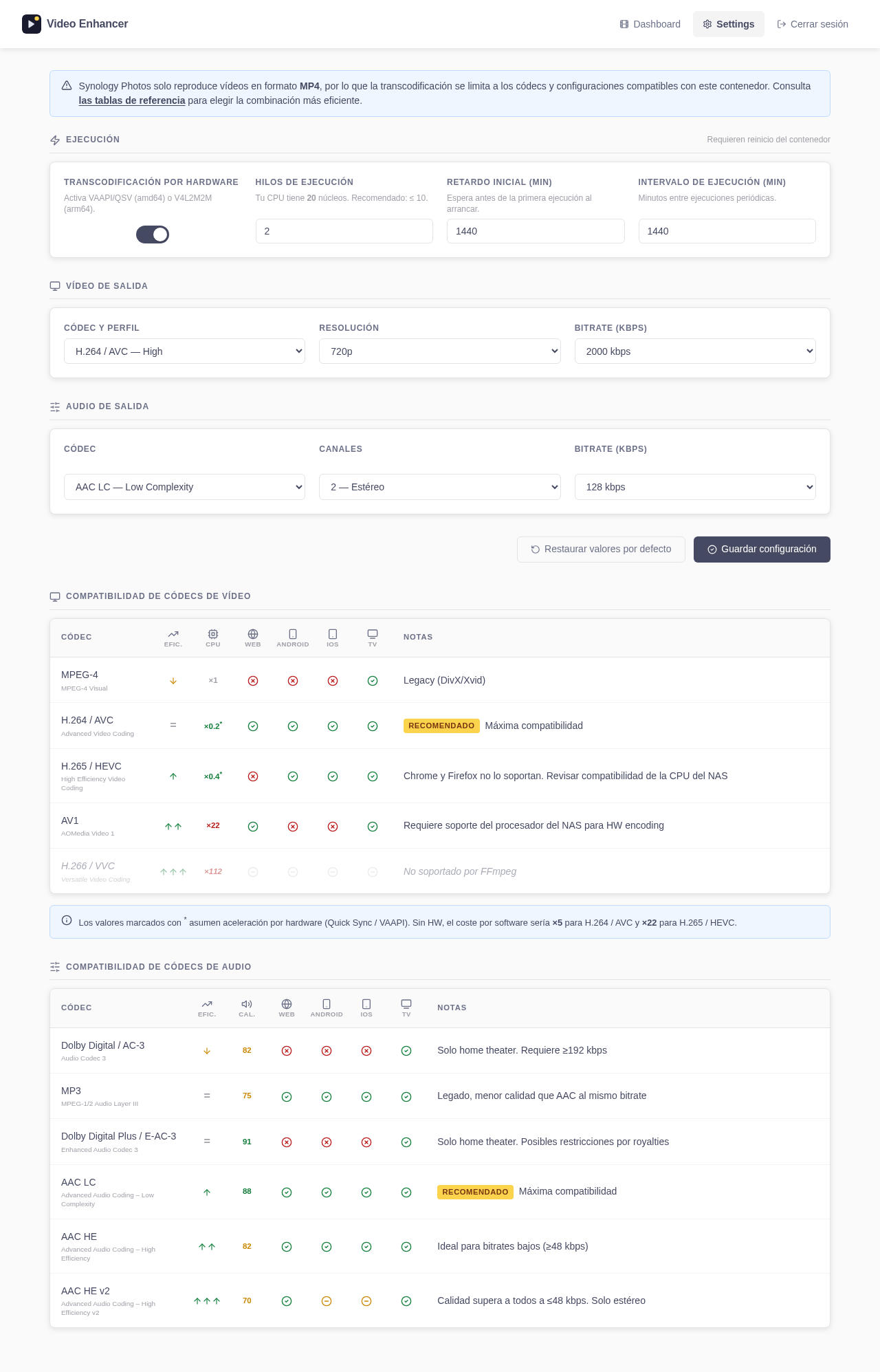
Codec, bitrate, resolution, threads, hardware acceleration — all configurable from the dashboard. Changes take effect on the next run.
No telemetry, no SaaS, no public registration. Runs entirely in your Docker stack. Your videos never leave your NAS.
Scans only run periodically. Thread count is configurable. Designed to coexist with other containers on a low-power NAS.
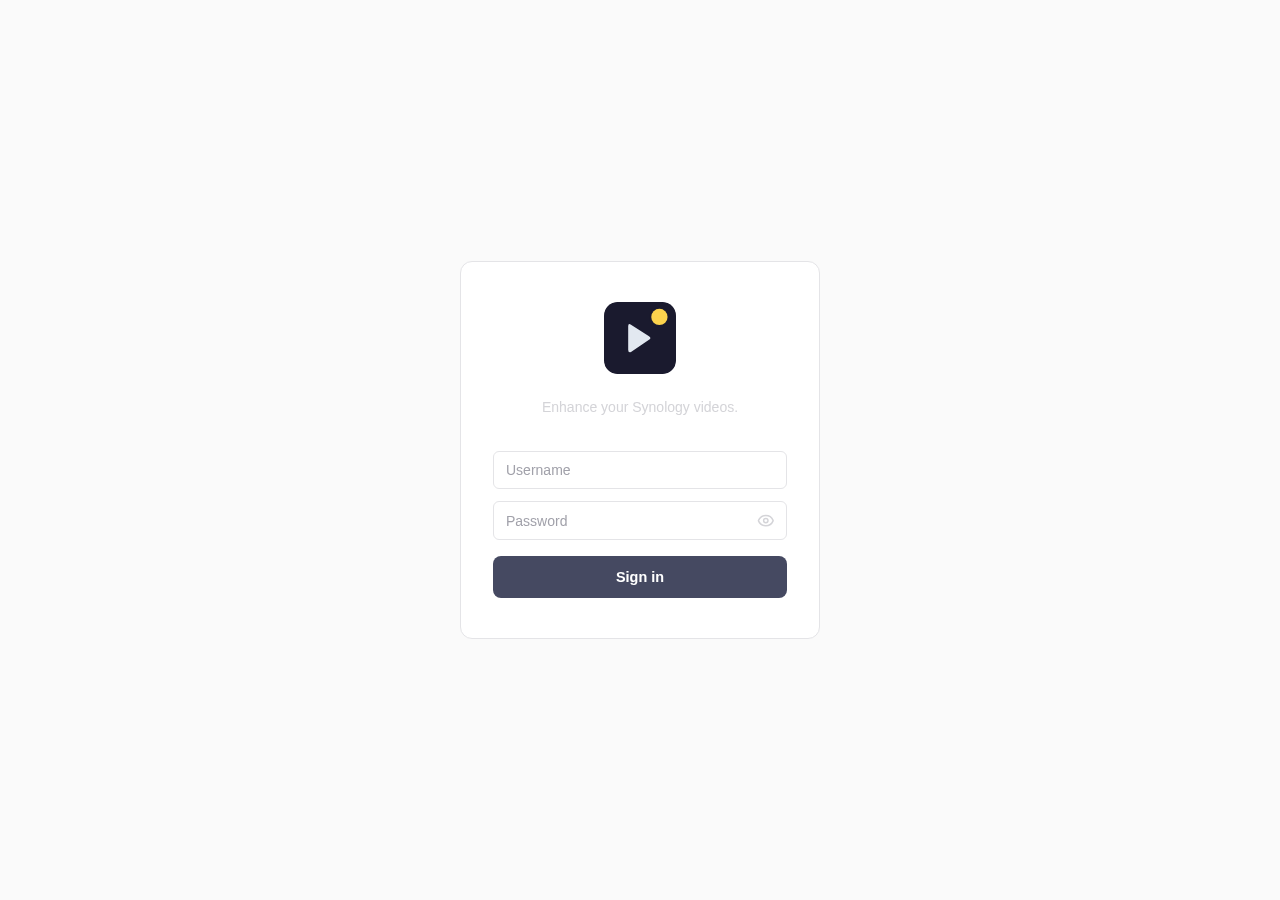
Login, dashboard stats, and settings — the whole interface in three screens.
Four steps: download, configure .env, set your volume paths, start.
curl -O https://raw.githubusercontent.com/cibrandocampo/synology-photos-video-enhancer/master/docker-compose.yml
curl -O https://raw.githubusercontent.com/cibrandocampo/synology-photos-video-enhancer/master/env.example
cp env.example .env .env — 3 required variables
| Variable | What to set |
|---|---|
| DATABASE_HOST_PATH✱ |
Absolute path on your NAS where the SQLite database will be stored. Create the folder first.
e.g. /volume1/docker/photo/video-enhancer/db |
| WEB_PASSWORD✱ | Password for the dashboard login. The container refuses to start if this is empty. |
| WEB_SECRET_KEY✱ |
HMAC key for signing session cookies. Generate it once and keep it:
python -c "import secrets; print(secrets.token_urlsafe(32))"
|
| WEB_PORT | Port where the dashboard is accessible. Default: 9200 |
| WEB_USER | Dashboard login username. Default: admin |
| APP_DOCKER_VERSION | stable for production (default). latest tracks the master branch. |
✱ Required — the container will not start without these.
docker-compose.yml
Open docker-compose.yml and edit the volumes: block.
There are two sections to update — the media mounts and the database path:
volumes:
# ── Shared photos library ────────────────────────────────────────
# Adjust /volume1/photo to wherever your shared Photos folder lives.
# Remove this line if you don't have a shared library.
- /volume1/photo:/media/photos:rw
# ── Per-user photos ──────────────────────────────────────────────
# One line per Synology user. Replace user1/user2 with real usernames.
# Add or remove lines to match your users.
- /volume1/homes/user1/Photos:/media/user1:rw
- /volume1/homes/user2/Photos:/media/user2:rw
# ── Database ─────────────────────────────────────────────────────
# Must match DATABASE_HOST_PATH set in .env above.
- /volume1/docker/photo/video-enhancer/db:/data/db docker compose up -d
# Dashboard → http://<NAS-ip>:9200/ Transcoding settings (codec, resolution, bitrate, schedule interval) are configured from the dashboard at runtime — no restart needed.
All output settings are configurable from the dashboard. Use this table to pick the right codec for your devices.
| Codec | Efficiency | CPU cost | Web | Android | iOS | TV | Notes |
|---|---|---|---|---|---|---|---|
| MPEG-4 | ↓ | ×1 | ✗ | ✗ | ✗ | ✓ | Legacy (DivX/Xvid) |
| H.264 / AVC Recommended | = | ×0.2 * | ✓ | ✓ | ✓ | ✓ | Maximum compatibility across all devices |
| H.265 / HEVC | ↑ | ×0.4 * | ✗ | ✓ | ✓ | ✓ | Chrome/Firefox don't support it. Check your NAS CPU for HW encoding. |
| AV1 | ↑↑ | ×22 | ✓ | ✗ | ✗ | ✓ | Requires NAS CPU with HW AV1 encoding support. |
* CPU cost with hardware acceleration (QSV/VAAPI). Without HW: H.264 ×5, H.265 ×22.
| Codec | Efficiency | Quality | Web | Android | iOS | TV | Notes |
|---|---|---|---|---|---|---|---|
| AC-3 / Dolby Digital | ↓ | 82 | ✗ | ✗ | ✗ | ✓ | Home theater only. Needs ≥192 kbps. |
| MP3 | = | 75 | ✓ | ✓ | ✓ | ✓ | Legacy. Lower quality than AAC at the same bitrate. |
| E-AC-3 / Dolby Digital Plus | = | 91 | ✗ | ✗ | ✗ | ✓ | Home theater only. Possible royalty restrictions. |
| AAC LC Recommended | ↑ | 88 | ✓ | ✓ | ✓ | ✓ | Maximum compatibility. Best default. |
| AAC HE | ↑↑ | 82 | ✓ | ✓ | ✓ | ✓ | Ideal for low bitrates (≥48 kbps). |
| AAC HE v2 | ↑↑↑ | 70 | ✓ | ~ | ~ | ✓ | Stereo only. Best quality at ≤48 kbps. |
Quality score: MUSHRA perceptual test at 128 kbps (0–100). ~ = partial support depending on device.
Never. The tool writes only to @eaDir/[video_name]/SYNOPHOTO_FILM_H.mp4 — the same path Synology Photos itself uses for intermediate files. Original files are read-only.
Any Synology NAS running DSM 7.1+ with Docker or Container Manager. Intel iGPU unlocks QSV (requires the SynoCli Video Drivers package from SynoCommunity). AMD or Intel GPU with a DRI device unlocks VAAPI. ARM SoCs (DS220+ class) get V4L2M2M for free.
Hardware acceleration is auto-detected at container startup. If the DRI device (/dev/dri/renderD128) is not present, the container falls back to software encoding automatically — no configuration needed. To force software encoding on a machine that does have a GPU, remove the devices: block from docker-compose.yml before starting the container.
Yes. All transcoding parameters (codec, bitrate, resolution, thread count, audio settings) are configurable from the dashboard Settings page at runtime. Changes take effect on the next scheduled run.
No. Every processed video is recorded in a local SQLite database with its status. On subsequent runs, already-completed videos are skipped. Only new or failed videos are re-attempted.
The container runs entirely within your Docker stack. No data is sent anywhere — no telemetry, no analytics, no external service calls. The database is a plain SQLite file on your host. MIT licence.